
Artificial intelligence is changing the way many companies work, but you don’t necessarily need to become an AI researcher to benefit from that change.
AI is increasingly being used for software development, data analysis, cybersecurity, marketing, customer service, business operations, research, and other types of work. As a result, employers are looking for people who can use AI effectively alongside their existing professional skills.
For job seekers, this creates an important opportunity.
Instead of asking, “How do I become an AI expert?”, a more useful question is:
“Which AI skills can make me more valuable in the type of job I want?”
The answer depends on your career path. A software developer may need machine learning and AI development skills, while a marketer may benefit more from AI-assisted content creation and data analysis.
Here are some of the AI skills worth learning for jobs in 2026 and how they can fit into different career paths.
1. AI Literacy
Before learning advanced AI technology, start with basic AI literacy.
AI literacy means understanding what artificial intelligence can and cannot do, how AI systems are used at work, and how to evaluate their output.
You should understand concepts such as:
- Generative AI
- Large language models
- Machine learning
- AI automation
- AI agents
- Prompting
- Model limitations
- AI-generated content
- Data privacy
- AI bias and responsible use
You don’t need to become a programmer to develop this skill.
Someone working in marketing, human resources, sales, administration, finance, or customer service can benefit from understanding how AI tools can support everyday tasks.
AI literacy is increasingly becoming a general workplace skill rather than something limited to technical departments.
2. Generative AI Skills
Generative AI has become one of the most visible applications of artificial intelligence.
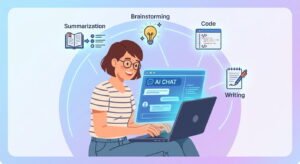
Tools based on generative AI can help produce text, analyze information, generate ideas, summarize documents, assist with coding, create images, and support many other workflows.
For job seekers, the important skill isn’t simply knowing how to open an AI chatbot.
It’s learning how to use AI productively and responsibly.
For example, an employee might use AI to:
- Draft an initial document
- Summarize lengthy information
- Brainstorm ideas
- Analyze structured data
- Create outlines
- Research a topic
- Generate code suggestions
- Improve written communication
- Automate repetitive tasks
Employers may value candidates who can identify where AI can actually save time rather than candidates who simply claim to “know AI.”
3. Prompting and AI Interaction
Prompting is another useful AI skill, particularly for jobs that involve frequent interaction with generative AI systems.
Good prompting is more than writing a long question.
It involves communicating the task clearly, providing relevant context, specifying the desired format, and checking the output.
For example, instead of asking:
“Write a report.”
You could provide the audience, objective, source information, tone, length, structure, and constraints.
Useful prompting skills include:
- Giving clear instructions
- Providing context
- Breaking complicated tasks into steps
- Asking AI to identify assumptions
- Providing examples
- Specifying output formats
- Reviewing and correcting responses
- Creating reusable prompts
However, prompting shouldn’t be treated as a replacement for subject knowledge.
The person using AI still needs enough expertise to determine whether the answer is accurate and useful.
4. AI-Assisted Data Analysis

Data is one of the areas where AI can become particularly useful for professionals.
AI tools can help people explore datasets, identify patterns, generate formulas, explain results, and assist with data visualization.
If you’re interested in data-related careers, combine AI knowledge with traditional analytical skills.
Start with:
- Excel
- SQL
- Statistics
- Data visualization
- Python
- Power BI or Tableau
- Data cleaning
Then learn how AI can support those workflows.
This combination can be more valuable than learning an AI tool without understanding data fundamentals.
The U.S. Bureau of Labor Statistics projects strong employment growth for data scientists from 2025 to 2035, making data-related skills worth watching for people interested in technology careers.
5. Python and AI Development
If you want to move into technical AI careers, learning Python is one of the most practical starting points.
Python is widely used in data science, machine learning, automation, and AI development.
Beginners can start with:
- Python fundamentals
- Variables and data types
- Functions
- Loops
- Object-oriented programming
- Working with APIs
- Data structures
- NumPy
- Pandas
- Basic data visualization
After that, you can move toward machine-learning libraries and AI frameworks.
Learning Python also gives you a broader programming foundation that can be useful outside AI.
6. Machine Learning
Machine learning is a more advanced AI skill, but it can open doors to specialized technology careers.
Machine learning involves developing systems that can learn patterns from data and use those patterns to make predictions or decisions.
Important concepts include:
- Supervised learning
- Unsupervised learning
- Classification
- Regression
- Clustering
- Feature engineering
- Model evaluation
- Overfitting
- Training and validation
- Machine-learning algorithms
You don’t need to start with advanced mathematics.
A beginner can first learn the basic concepts, practice with small datasets, and gradually move toward more complex models.
For people targeting machine-learning or data-science careers, a strong foundation in statistics and programming is important.
7. AI Automation
One of the most practical AI skills for non-programmers is automation.
Businesses perform many repetitive tasks every day, such as:
- Moving information between systems
- Organizing documents
- Sending notifications
- Processing forms
- Updating spreadsheets
- Summarizing information
- Creating reports
- Managing customer requests
AI can be combined with automation tools to reduce some of this repetitive work.
You can begin by learning how APIs, workflows, triggers, actions, and data transfers work.
Even basic automation knowledge can be useful for people working in operations, marketing, sales, administration, customer service, and other departments.
8. AI Agents and Workflow Design
AI agents are another area worth watching in 2026.
Unlike a basic chatbot interaction, an agent-based system can be designed to perform multiple steps toward a goal, sometimes using external tools or systems.
For example, an AI-powered workflow could potentially:
- Receive a customer request.
- Identify the issue.
- Retrieve relevant information.
- Take an approved action.
- Record the result.
- Notify the appropriate team member.
Understanding how these workflows are designed can be useful even if you aren’t building sophisticated AI systems yourself.
Skills worth exploring include:
- Workflow design
- APIs
- Tool calling
- Automation
- Data handling
- AI evaluation
- Human oversight
- Error handling
The technology is developing quickly, so focus on underlying concepts rather than learning only one specific platform.
9. AI and Cybersecurity
Artificial intelligence and cybersecurity are increasingly connected.
Security teams can use AI-related technologies to help analyze large amounts of information, identify unusual activity, assist with threat detection, and support security operations.
At the same time, attackers can also use AI to improve certain types of attacks.
For people interested in cybersecurity careers, useful foundations include:
- Networking
- Operating systems
- Authentication
- Access control
- Security monitoring
- Incident response
- Vulnerability management
- Cloud security
- Security fundamentals
The BLS projects 21% employment growth for information security analysts from 2025 to 2035, highlighting continued demand for cybersecurity professionals.
AI knowledge can complement these cybersecurity fundamentals rather than replacing them.
10. AI-Powered Software Development
Software developers are increasingly using AI-assisted development tools to help with coding, debugging, documentation, testing, and understanding unfamiliar code.
If you’re a developer, learning how to work effectively with these tools can become a useful productivity skill.
However, don’t let AI replace your understanding of programming fundamentals.
You should still understand:
- Programming logic
- Data structures
- Algorithms
- APIs
- Databases
- Security
- Testing
- Debugging
- Software architecture
The better you understand software development, the better positioned you are to review AI-generated code and identify problems.
The BLS projects 15% employment growth for software developers, quality assurance analysts, and testers from 2024 to 2034.
11. AI for Marketing and Content
AI is also changing digital marketing.
Marketing professionals can use AI to assist with:
- Content research
- Audience analysis
- Campaign ideas
- Email drafts
- SEO research
- Social media planning
- Data analysis
- Customer segmentation
- Marketing automation
But human judgment remains important.
AI-generated content still needs to be checked for accuracy, originality, tone, brand requirements, and usefulness.
If you combine marketing fundamentals with AI skills, you can potentially use AI as a productivity tool rather than treating it as a replacement for marketing knowledge.
12. AI Ethics, Privacy and Responsible Use
Technical ability isn’t the only part of working with AI.
Companies also need people who understand the risks involved in using AI systems.
Important topics include:
- Data privacy
- Confidential information
- Copyright
- Bias
- Accuracy
- Security
- Human oversight
- Transparency
- Responsible AI use
For example, employees shouldn’t automatically paste confidential company information into an AI tool simply because the tool is convenient.
Understanding when not to use AI can be just as important as knowing how to use it.
Which AI Skills Should Beginners Learn First?
If you’re completely new to AI, don’t try to learn everything at once.
A practical starting path could look like this:
Step 1: Learn basic AI concepts.
Step 2: Learn how to use generative AI effectively.
Step 3: Learn prompting and AI-assisted research.
Step 4: Choose a career direction.
Step 5: Add job-specific AI skills.
For example:
Marketing: AI + SEO + analytics + content strategy
Software development: Python/programming + AI coding tools + APIs
Data: SQL + statistics + Python + AI-assisted analysis
Cybersecurity: networking + security + AI-assisted security workflows
Administration: productivity tools + automation + AI
The important part is the combination.
AI Skills vs. Traditional Skills
One mistake job seekers can make is focusing entirely on AI while neglecting the underlying profession.
AI skills work best when combined with another valuable skill.
Think of it as:
AI + Existing Skill = Stronger Career Combination
Examples include:
- AI + programming
- AI + cybersecurity
- AI + data analysis
- AI + marketing
- AI + sales
- AI + finance
- AI + project management
- AI + customer service
- AI + design
This approach also gives you more flexibility because you aren’t depending on one specific AI tool or trend.
How to Show AI Skills on Your Resume
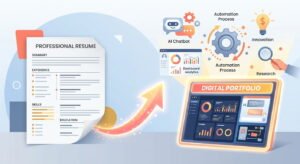
Simply writing “Artificial Intelligence” in your skills section isn’t very informative.
Instead, show how you actually used AI.
For example:
Weak:
AI skills
Stronger:
Used AI-assisted development tools to accelerate code documentation, debugging, and testing workflows.
Or:
Used AI-supported data analysis workflows to summarize datasets and identify patterns for reporting.
Only include claims that accurately represent your experience.
If you have completed an AI project, include it in your projects section and explain what you built and what technologies you used.
For more guidance, see our guide on creating an ATS-friendly resume in 2026.
How to Build an AI Portfolio
A portfolio can be particularly useful if you don’t have much professional experience.
You don’t need to build a massive AI application.
Start with a small project that demonstrates a real skill.
Examples include:
- AI-powered document summarizer
- Customer-support chatbot
- Simple recommendation system
- AI-assisted data dashboard
- Automated reporting workflow
- Text classification project
- Resume analysis tool
- AI-powered productivity workflow
Document what you built, the problem you were solving, the technologies you used, and what you learned.
A small finished project can demonstrate more than a long list of courses.
Don’t Chase Every New AI Tool
AI changes quickly.
A tool that is popular today may look very different six months from now.
That’s why job seekers should focus on transferable concepts.
Learn:
- How AI systems work at a basic level
- How to evaluate AI output
- How to work with data
- How APIs work
- How automation works
- How to communicate with AI systems
- How to integrate AI into existing workflows
- How to protect sensitive information
Once you understand these fundamentals, learning a new AI tool becomes much easier.
A Simple 90-Day AI Skills Plan
If you’re starting from scratch, you can divide your learning into three stages.
Month 1: Build the Foundation
Learn basic AI concepts and become comfortable with generative AI tools.
Practice prompting, research, summarization, structured outputs, and AI-assisted productivity.
Month 2: Choose a Career Direction
Decide whether you want to combine AI with:
- Software development
- Data
- Cybersecurity
- Marketing
- Business
- Administration
- Sales
- Another professional field
Then learn the skills most relevant to that career.
Month 3: Build Something
Create one practical project.
Document the process and add it to your portfolio or resume where appropriate.
Then begin applying for jobs that match your existing skills while continuing to learn.
The Most Important AI Skill May Be Knowing When to Use AI
It’s easy to focus on tools, prompts, and technical terminology.
But employers don’t hire someone simply because they can use an AI chatbot.
They need people who can solve problems.
If AI can reduce a repetitive task from two hours to twenty minutes, that’s useful.
If AI produces an inaccurate report that someone sends to a customer without checking it, that’s a problem.
The valuable skill is knowing where AI helps, where it doesn’t, and how to verify the result.
That combination of technology and human judgment is likely to remain useful even as individual AI tools change.
Final Thoughts
The best AI skills to learn for jobs in 2026 depend heavily on the career you want to build.
Beginners can start with AI literacy, generative AI, prompting, and automation. Technical candidates can go further into Python, machine learning, AI development, data science, cybersecurity, and AI agents.
But don’t treat AI as a separate career skill that exists on its own.
The strongest combination is often AI plus something else you already know or want to learn.
Whether that’s programming, data analysis, marketing, cybersecurity, sales, or project management, adding practical AI knowledge can help you work more efficiently and prepare for changing workplace expectations.
And remember: learning a skill is only the first step. Build projects, demonstrate what you can do, add relevant experience to your resume, and apply that knowledge to real job opportunities.
ion instructions with the actual hiring organization before applying.